At 300 KB/s, a roll of film becomes an endurance test. My latest scans arrived as a one-gigabyte download, and for nearly an hour I watched the progress bar crawl while the browser showed previews too compressed to judge.
The roll held holiday photos, grain, dust, dark skies, and optimistic flash photography. I had chosen JPEG because it was practical, though part of me still wanted the full-size TIFFs.
Around the same time, I read Mozilla’s plan to ship JPEG XL in Firefox with a Rust decoder. Rust is what I work with, so that detail made me pay attention. Could a modern format make lab scans easier to download without making my archive harder to trust?
I have been shooting film since 2019, and I keep every scan. A delivery copy must be small enough for a weak connection and common enough to open everywhere. An archive must preserve pixels, profiles, metadata, and a tested path back to the original.
I tested both jobs with 18 TIFF masters and one complete roll of 36 lab JPEGs. The answer was less dramatic, and more useful, than “switch everything to one modern format.”
One scan, two jobs
The first rule is to stop asking one file to do everything.
- Lab delivery: a rendered copy optimized for download, preview, printing, and whatever software the customer already uses.
- Personal archive: the best surviving source, with a tested path back to its pixels and metadata.
If a lab keeps a high-bit-depth scanner master, it can regenerate delivery copies. If it keeps only the delivered JPEG, JPEG XL’s reversible JPEG mode can reduce storage without adding another lossy generation. Those are different workflows and should stay different.
Reversible JPEG XL preserves lab JPEGs exactly
One complete lab roll contains 36 JPEG scans and 965.4 MB of holiday photos.
Normally, transcoding a JPEG means decoding it into pixels and compressing those pixels again. JPEG XL has an unusually useful alternative: it can repack an existing JPEG into a smaller JXL file and later reconstruct the exact original JPEG.
I encoded all 36 scans that way, restored every JXL to JPEG, and compared SHA-256 hashes.
| Measurement | Result |
|---|---|
| Original JPEG folder | 965.4 MB |
| JPEG XL folder | 795.8 MB |
| Space saved | 169.6 MB |
| Weighted saving | 17.57% |
| Per-file range | 15.90% to 20.06% |
| Byte-identical restores | 36 of 36 |
That result genuinely surprised me. The folder became about 18% smaller, yet every restored JPEG was byte-for-byte identical to the file supplied by the lab. The exact restores gave me a practical reason to use reversible JPEG XL in my own archive.
I would still keep a second verified copy and run a restore drill before deleting anything. A checksum proves the test; it does not create a backup.
Can anyone actually see the difference?
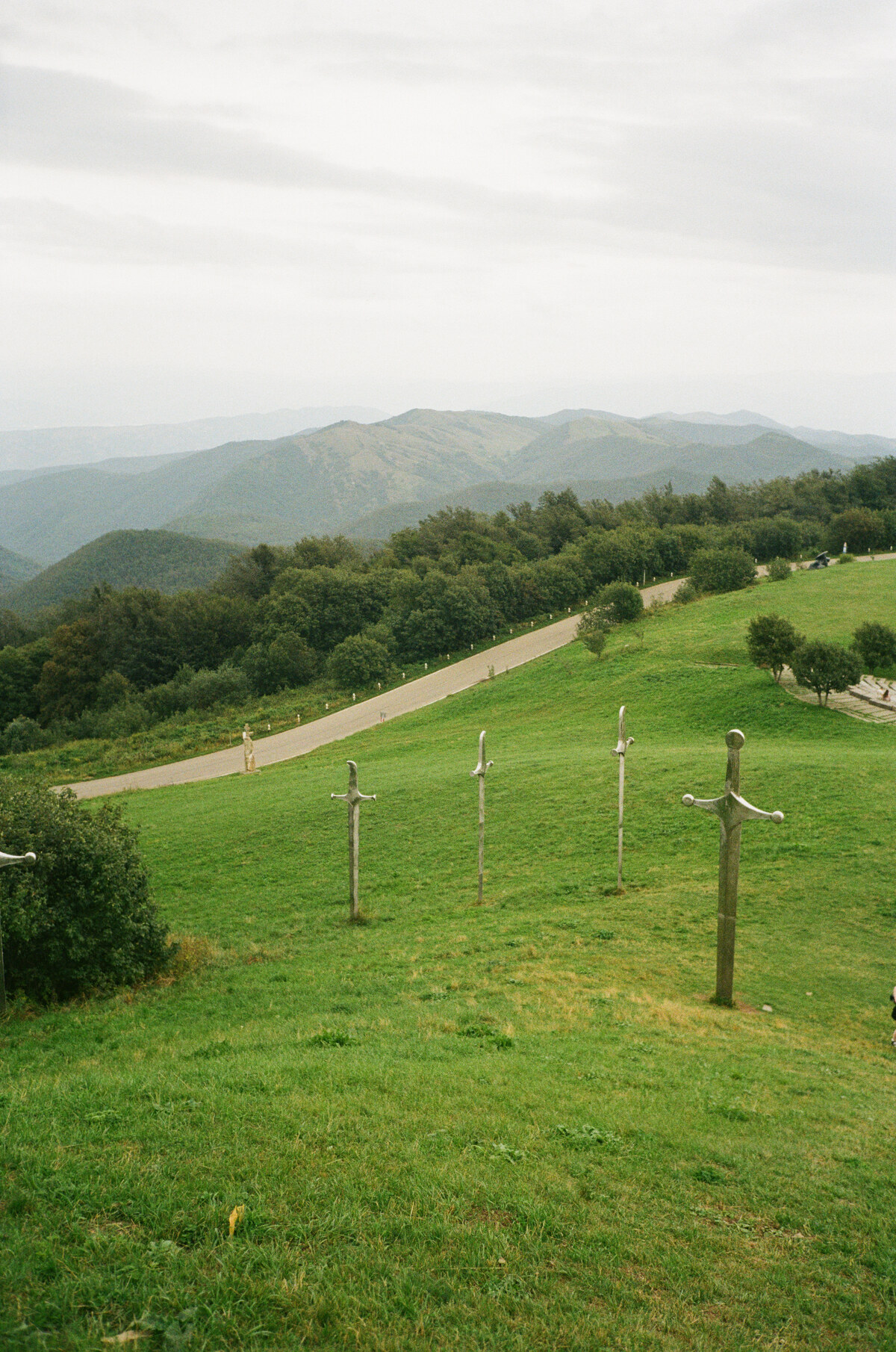
At normal web size, even JPEG XL distance 8 can initially look acceptable. The 100% crop exposes what it removes: film grain in the grass and texture in the stone soften while the larger forms survive. That may be acceptable for a small preview, but not for the file I would download or preserve. Both sides are stored as PNG so the slider works even where JPEG XL does not.
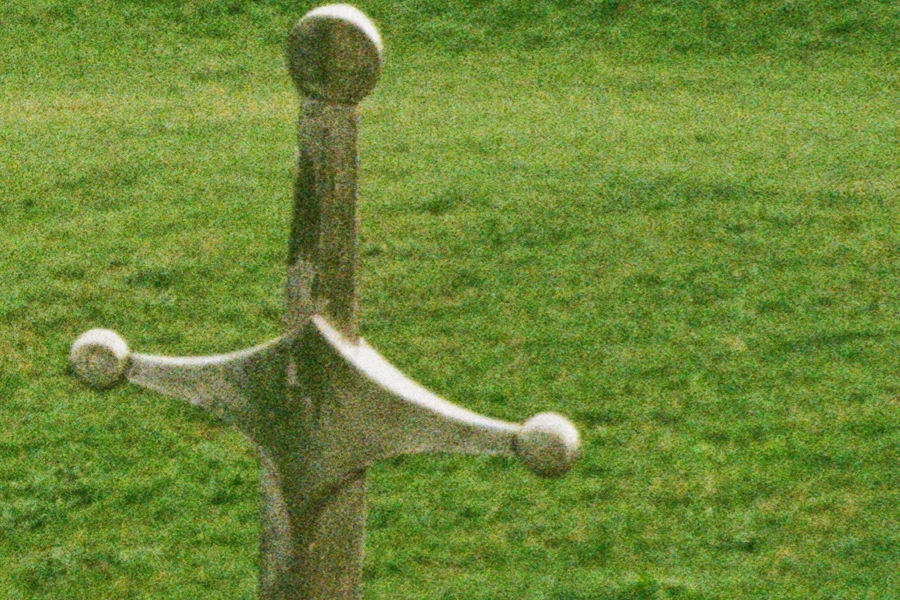 JPEG XL d8
Original lab JPEG
JPEG XL d8
Original lab JPEG
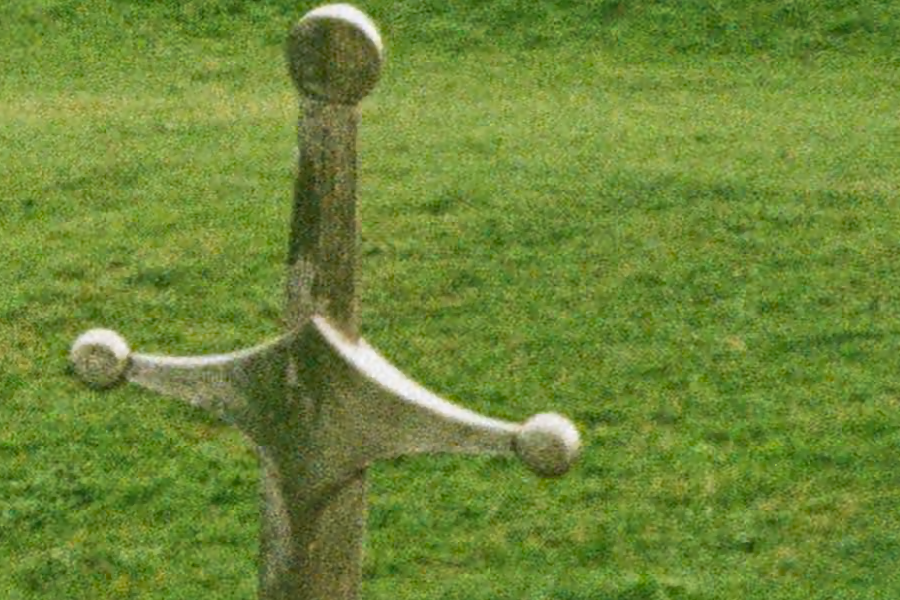
The second comparison uses the same frame and the same decoded source pixels. The two sides should look almost identical; the question is which codec gets there with fewer bytes. Both decoded outputs are stored as PNG.
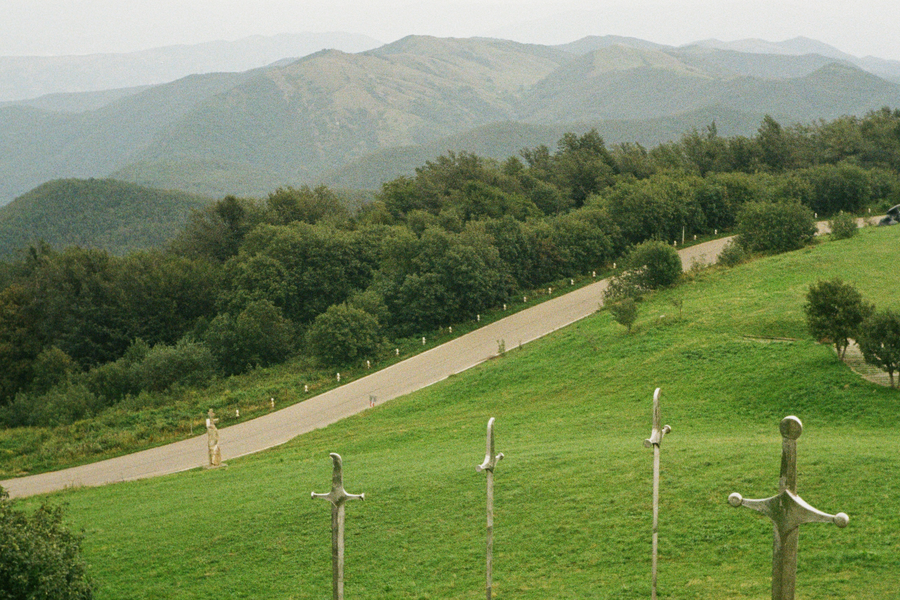 JPEG XL d1
JPEG q90
JPEG XL d1
JPEG q90
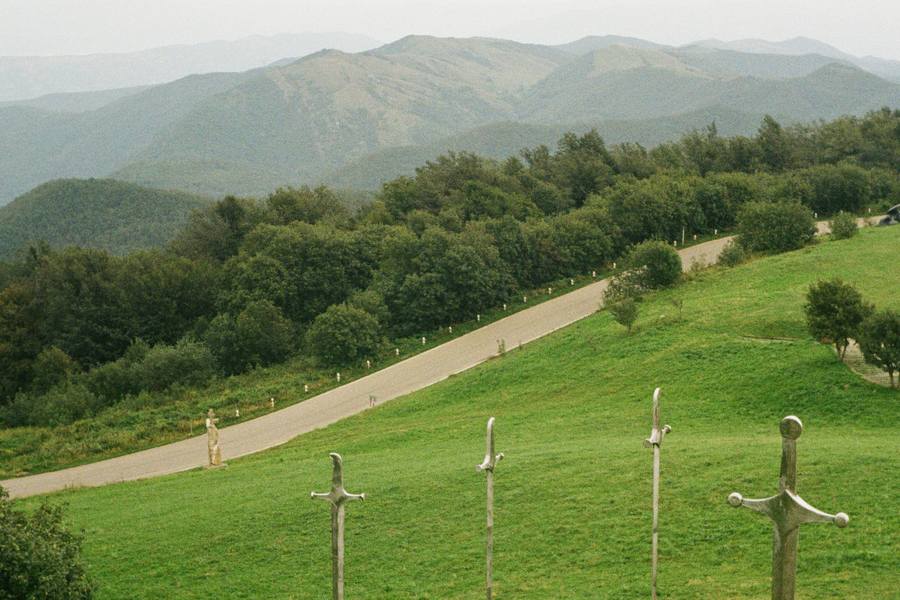
The Didgori scene mixes fine grain with distant ridges, dense trees, grass, and sharp-edged sculptures. At nearly the same measured quality, JPEG XL used about 25% fewer bytes.
What should the lab send?
JPEG should remain the default download. It is the least surprising file for phones, editors, print services, and old software.
Use AVIF for automatic web derivatives when the lab controls the site or app that decodes them. In this run, AVIF quality 75 matched the JPEG quality-90 median score with roughly one-third fewer bytes.
Offer JPEG XL as an optional high-quality download. At the highest tested settings, it delivered the best measured score at essentially the same size as AVIF. It can also serve the separate reversible-JPEG archive job. Format capability is not workflow support, so test the receiving software.
TIFF should be an explicit master-file product, not the default delivery. The median TIFF in this sample was 55.7 MiB before any download packaging. Customers who want 16-bit editing headroom may value it. Customers who only need a rendered copy pay the transfer and storage cost without using that extra data.
At comparable middle-quality points, AVIF was about one-third smaller than JPEG, and JPEG XL was about one-quarter smaller. I reached that result by encoding the same normalized pixels from 18 scans at several settings, then comparing file size with SSIMULACRA2’s estimate of perceptual damage.
At the highest tested settings, JPEG XL and AVIF were effectively tied. This test wasn’t enough to crown a universal winner.
Useful as an option, not a default
As of August 2026, JPEG XL support is improving but still uneven. Safari already opens it, Windows can add support through an extension, and Firefox and Chrome have announced plans to ship it. Telegram Desktop previews it on Linux and Windows. That is enough for an optional download, not enough to make it the default.
I plan to send this post to my lab. I don’t expect an immediate format change: JPEG XL adds another encoding path and another compatibility check. It does give the lab a measured reason to test one more download button.
The TIFF archive trial
For the TIFF trial, I had to decide how much of a file counts as the original.
My TIFF archive contains 340 scans totaling 22.48 GiB, built up since 2019. Saving more than half that space sounded wonderful until I had to decide whether I trusted the conversion enough to alter years of scans.
I compared lossless JPEG XL with TIFF Deflate on 18 files. The sample contained 1,247.1 MiB of source TIFFs and included color, grayscale, 8-bit, 16-bit, and existing compression differences.
| Archive candidate | Sample total | Saving from source |
|---|---|---|
| Original TIFFs | 1,247.1 MiB | baseline |
| TIFF with Deflate | 851.1 MiB | about one-third |
| Lossless JPEG XL | 484.4 MiB | more than 60% |
The result was tempting, but it was not a forecast for the whole archive. Six large 16-bit RGB files heavily influenced the total.
Every main image pixel survived both paths. But an archive is more than its visible pixels. Three color profiles did not return byte-for-byte, one embedded thumbnail disappeared, and some XMP metadata changed. For me, that is enough to stop the migration.
What exactly failed?
| Restore check | TIFF Deflate | Lossless JPEG XL |
|---|---|---|
| Decoded pixels match | 18 / 18 | 18 / 18 |
| Original bit depth restored | 18 / 18 | 18 / 18 |
| Core EXIF source fields retained | 18 / 18 | 18 / 18 |
| Embedded ICC payload retained | 4 / 4 | 1 / 4 |
| TIFF image directories retained | 18 / 18 | 17 / 18 |
| Raw XMP packet unchanged | 0 / 3 | 0 / 3 |
The JPEG XL workflow restored the Adobe RGB profile byte-for-byte, but normalized three embedded sRGB profiles. Its single-image path also dropped a 107×160 thumbnail. ExifTool rewrote three XMP packets in both workflows; one lost two Camera Raw digest and table fields.
My TIFF decision is therefore boring: keep the original TIFFs. Lossless JXL is an excellent pixel compressor, but this pipeline did not preserve the whole archival object. I won’t batch-convert until the metadata path does.
What I would actually keep and send
- Lab JPEGsReversible JXL after a restore drill
- Scanner mastersOriginal TIFFs stay untouched
- Camera scansKeep the original RAW or DNG files
36 / 36 exact JPEG restores JPEGs restored exactly; TIFFs did not preserve the whole container
- DefaultJPEG for compatibility
- Controlled clientAVIF web derivative
- Optional downloadJPEG XL or 16-bit TIFF
24% to 31% fewer bytes at the tested middle-quality delivery points
I am comfortable repacking the lab JPEGs because I proved that I can recover the exact originals. I am not comfortable touching the TIFFs. The next time a lab offers me a one-gigabyte download, I want one more button: JPEG XL.
Method, limitations, and full results
Delivery benchmark
I selected 18 TIFFs from the 340-file archive: six 8-bit RGB, six 16-bit RGB, three 8-bit grayscale, and three 16-bit grayscale scans. Each source was normalized to the same 8-bit delivery pixels, sRGB for color and grayscale for monochrome, then encoded at ten settings across JPEG, JPEG XL, and AVIF. TIFF results use binary MiB/GiB; the JPEG-roll benchmark uses decimal MB.
| Codec | Setting | Median size | Median score |
|---|---|---|---|
| JPEG XL | distance 2 | 1.50 MiB | 69.49 |
| JPEG | quality 80 | 2.81 MiB | 75.00 |
| AVIF | quality 75 | 3.07 MiB | 79.96 |
| JPEG XL | distance 1 | 3.38 MiB | 82.17 |
| AVIF | quality 85 | 4.17 MiB | 83.93 |
| JPEG | quality 90 | 4.45 MiB | 80.05 |
| JPEG XL | distance 0.5 | 6.37 MiB | 88.19 |
| JPEG | quality 95 | 6.77 MiB | 84.51 |
| JPEG XL | distance 0.25 | 10.47 MiB | 91.25 |
| AVIF | quality 95 | 10.49 MiB | 90.43 |
SSIMULACRA2 estimates perceptual damage relative to the normalized source pixels; higher scores are better. Quality labels are not comparable across codecs, so the chart and table compare measured score with file size.
The delivery and TIFF archive sweep covered 18 files. It cannot represent every film archive or encoder version. SSIMULACRA2 measures damage relative to normalized delivery pixels, not fidelity to the negative or editing headroom. The crop sliders are visual checks, not a controlled viewing study.
The TIFF test checked decoded pixels, bit depth, selected EXIF fields, raw ICC payloads, raw XMP packets, and image-directory count. It did not test every legal TIFF tag or every editor.
cjxl, djxl, and SSIMULACRA2 came from libjxl 0.12.0. avifenc and
avifdec were libavif 1.4.2 using AOM 3.14.1. TIFF recompression used libtiff
4.7.2; metadata inspection and copying used ExifTool 13.55.
The benchmark script, raw CSVs, and research notes behind these numbers are in ukint-vs/jpeg-xl-film-scans.
Sources
- Benchmark scripts, raw results, and research notes (this project’s repo)
- JPEG Committee: JPEG XL overview
- libjxl reference implementation
- JPEG XL: From Evolution to Revolution
- FADGI Technical Guidelines, Third Edition
- Mozilla: Intent to ship JPEG XL
- Apple: Safari 17 release notes
- Apple: JPEG XL image type
- Microsoft: JPEG XL Image Extension
- Telegram Desktop: JPEG XL support on Linux
- Telegram Desktop: JPEG XL support on Windows
- libavif encoder documentation
- Adobe: TIFF Revision 6.0 specification